Webhooks
Webhooks let your system receive real-time notifications when events happen in your account — for example a new subscription, a payment, or an invoice. Open Settings → Webhooks in the Control Center.
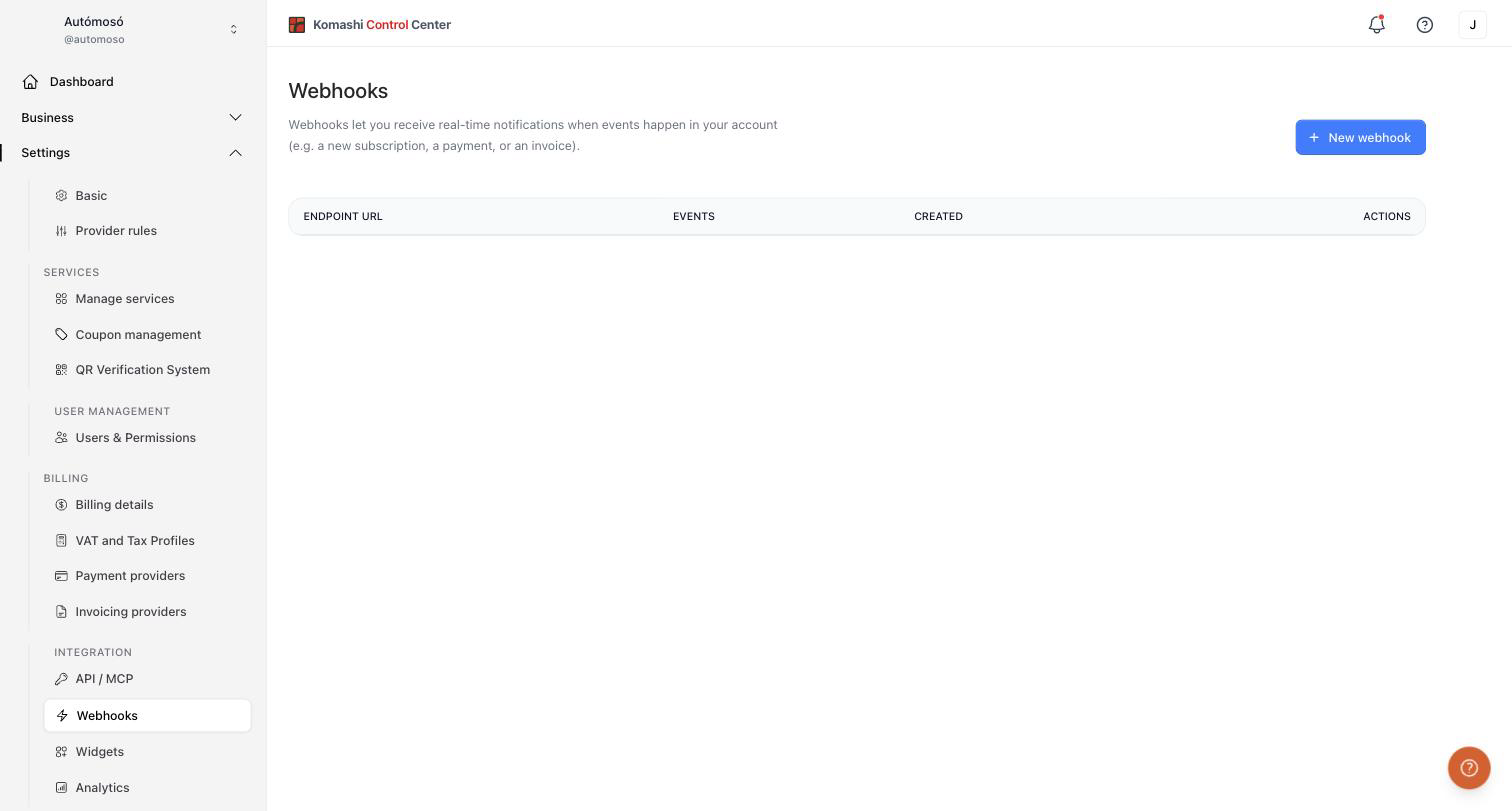
Webhook list
The table shows each webhook's endpoint URL, subscribed events, and creation date. Use the actions column to edit or delete a webhook.
Create a new webhook
- Click New webhook.
- Enter the Endpoint URL where notifications should be delivered, for example
https://your-endpoint.com/webhook. Your server must acceptPOSTrequests and handle the incoming event payloads. - Select the events you want to receive. Use Select All or Unselect All to toggle every event at once.
- Click Save.
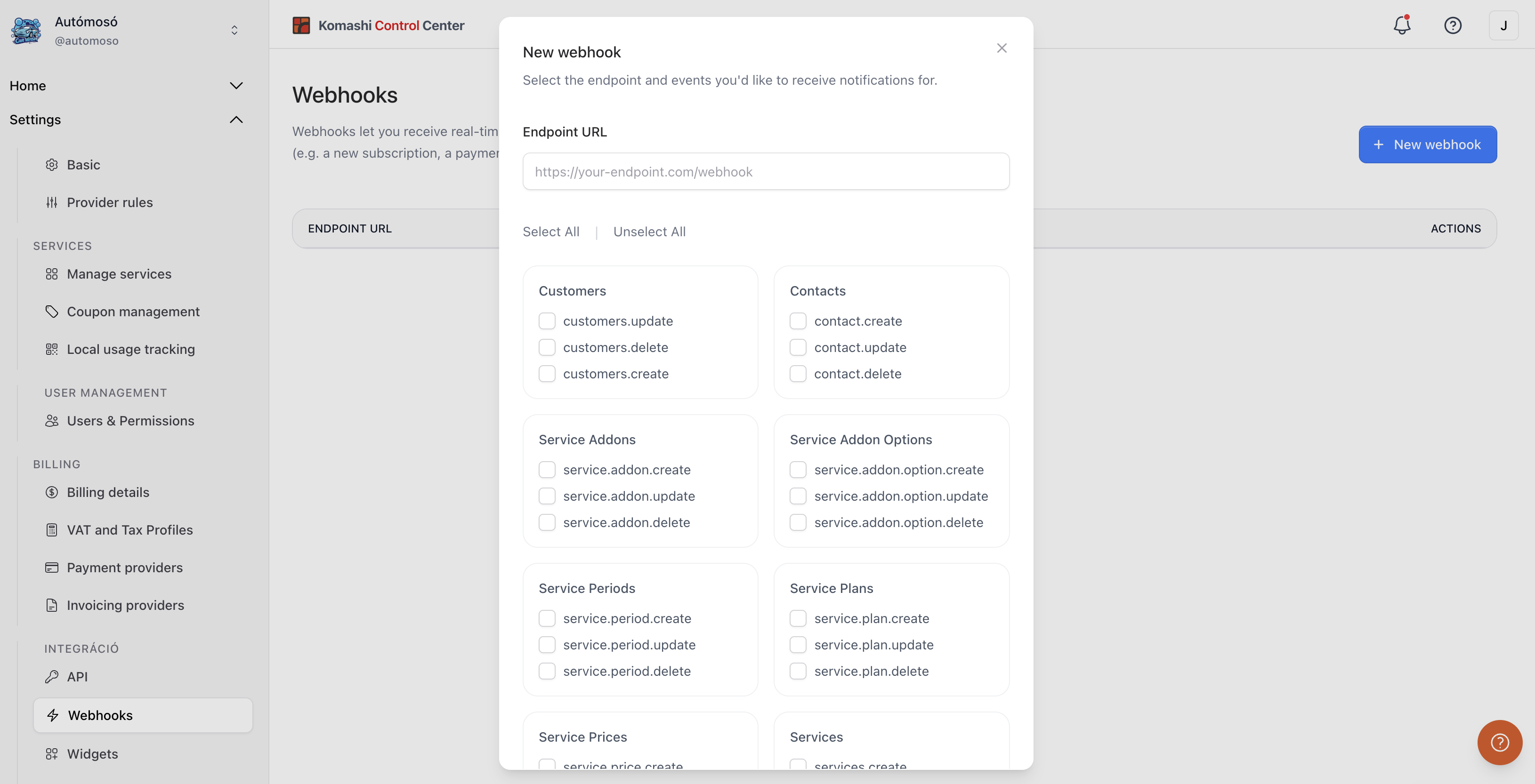
Once saved, events start sending to the endpoint immediately.
Available events
Events are grouped by category:
Customers
customers.createcustomers.updatecustomers.delete
Contacts
contact.createcontact.updatecontact.delete
Service Addons
service.addon.createservice.addon.updateservice.addon.delete
Service Addon Options
service.addon.option.createservice.addon.option.updateservice.addon.option.delete
Service Periods
service.period.createservice.period.updateservice.period.delete
Service Plans
service.plan.createservice.plan.updateservice.plan.delete
Service Prices
service.price.createservice.price.updateservice.price.delete
Services
services.createservices.updateservices.delete
Subscription Plans
subscription.plans.createsubscription.plans.updatesubscription.plans.deletesubscription.plan.preview.link
Subscriptions
subscription.createsubscription.updatesubscription.delete
Related: API Tokens