Billing Details
Manage your legal billing information and preferred currency. Open Settings → Billing details in the Control Center.
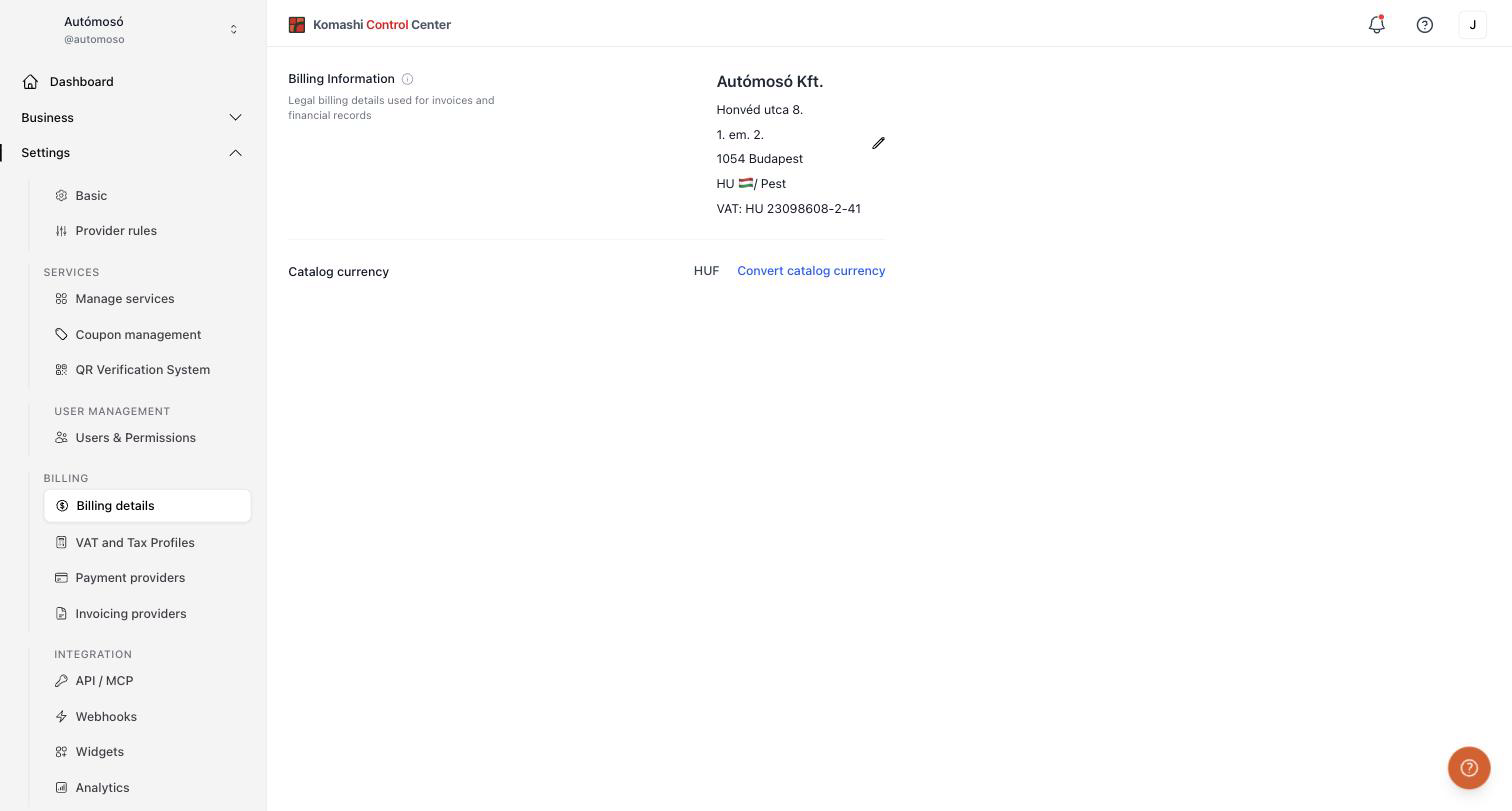
Billing Information
Legal billing details used for invoices and financial records. This is what appears on the invoices issued to your customers.
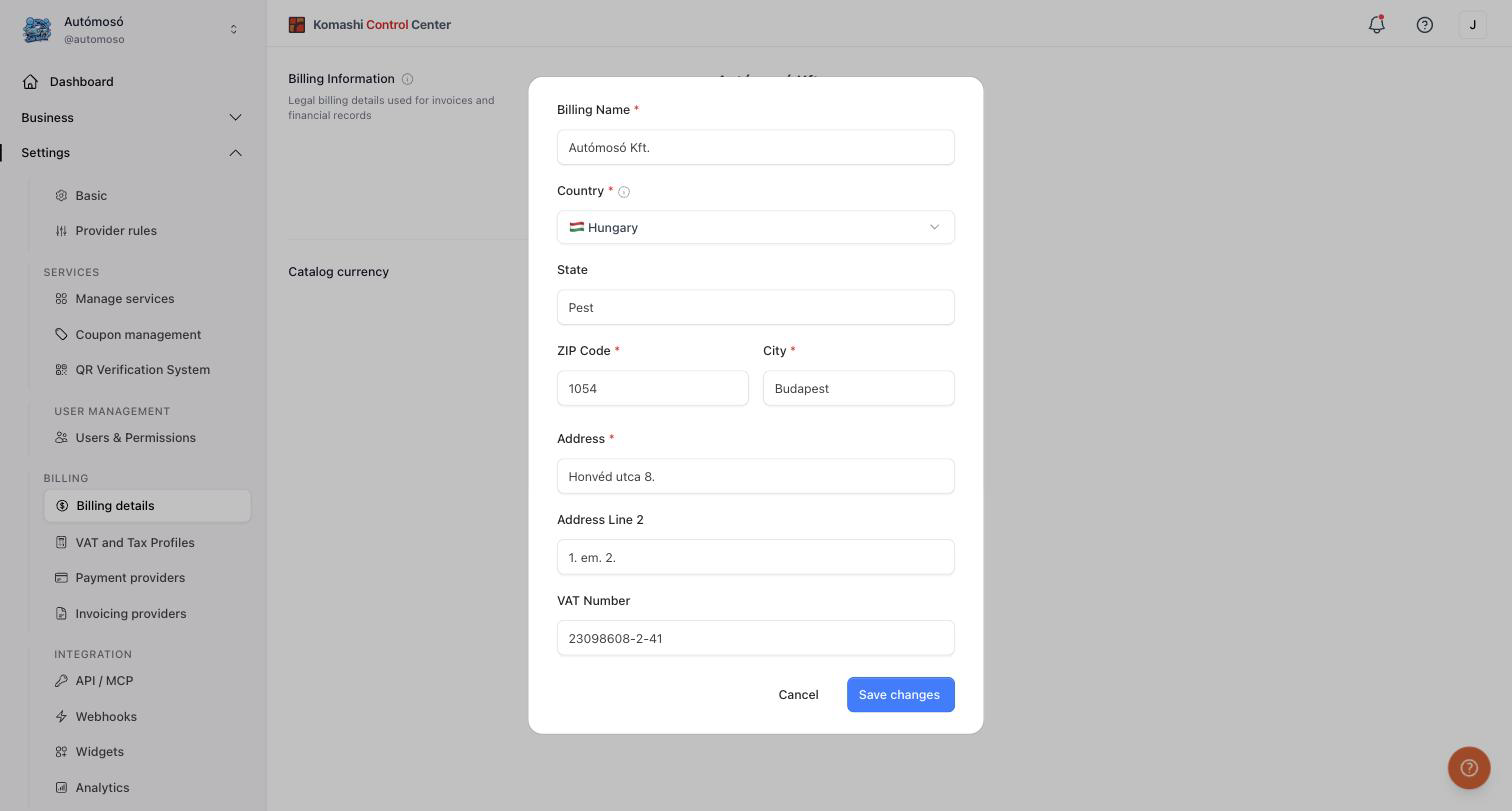
To edit, click the pencil icon and fill in the form:
- Billing Name (required) — your legal company or business name.
- Country (required)
- State
- ZIP Code (required) and City (required)
- Address (required) and Address Line 2
- VAT Number
Click Save changes when done.
Catalog currency
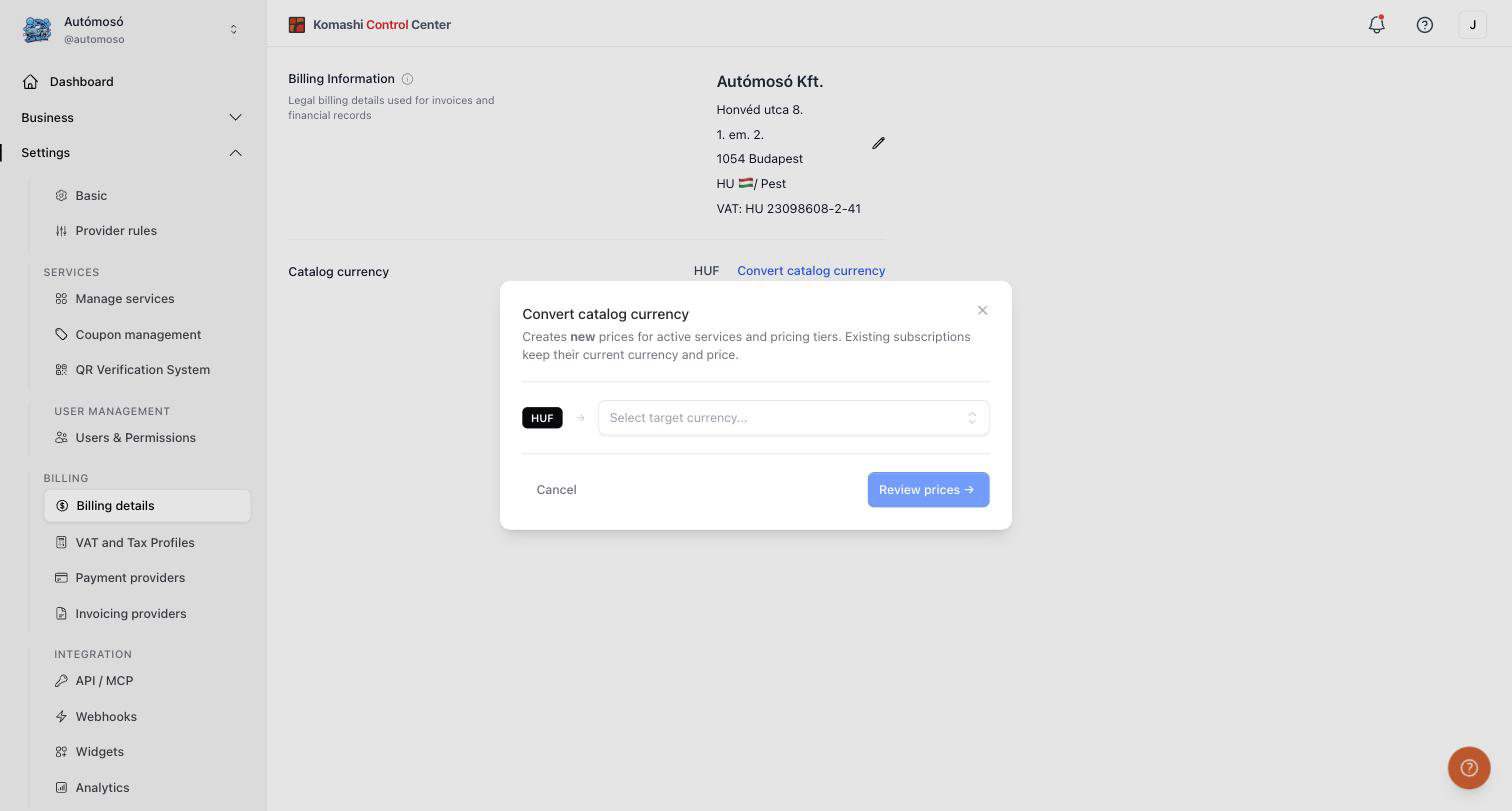
The currency your service catalog is priced in. To change it:
- Click the Convert catalog currency link.
- Select the target currency in the dialog.
- Click Review prices → to check the converted prices before applying.
note
Converting the catalog currency creates new prices for your active services and pricing tiers. Existing subscriptions keep their current currency and price.
Related: VAT and Tax Profiles, Payment Providers, Invoicing Providers